Minesweeper · logic puzzle
Minesweeper online — solo, bot and multiplayer
Play for free — opens in a new tabThe game opens in a new tab. An internet connection is required.
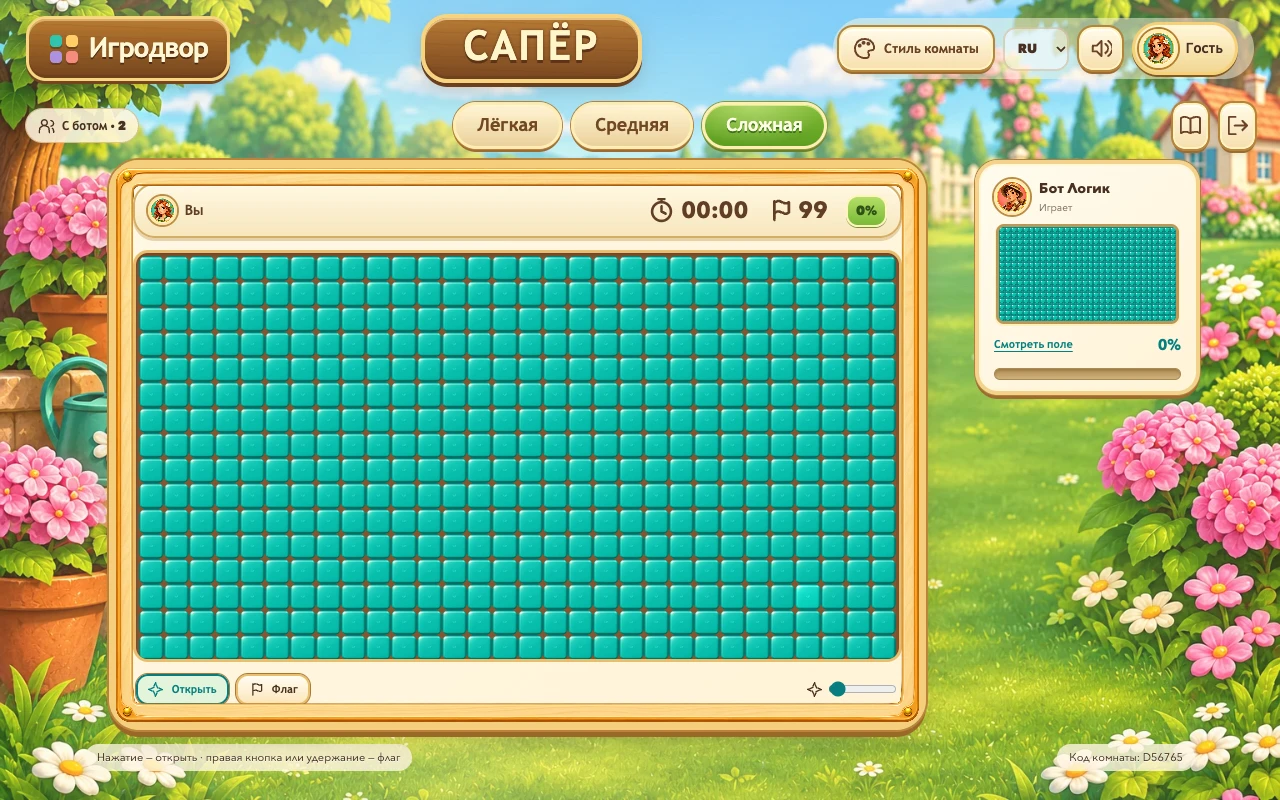
Igrodvor Minesweeper is a free browser logic game with solo time trials, a bot opponent and online multiplayer rooms for 2–4 players. Read the numbers, flag suspected mines and reveal every safe cell. Choose from three difficulties, learn with an interactive tutorial and switch between four colorful cartoon themes. During a race, you can watch your opponents’ real revealed numbers and flags.
- Players
- 1–4 players; a separate bot mode is available
- Mode
- Solo time trials, a bot challenge or a race with friends
- Devices
- Desktop and mobile · browser
- Game languages
- Russian, English, Chinese
How to play: Minesweeper
- Choose solo, a bot or a room for 2–4 people, then select a difficulty. The optional tutorial explains numbers, flags and safe moves.
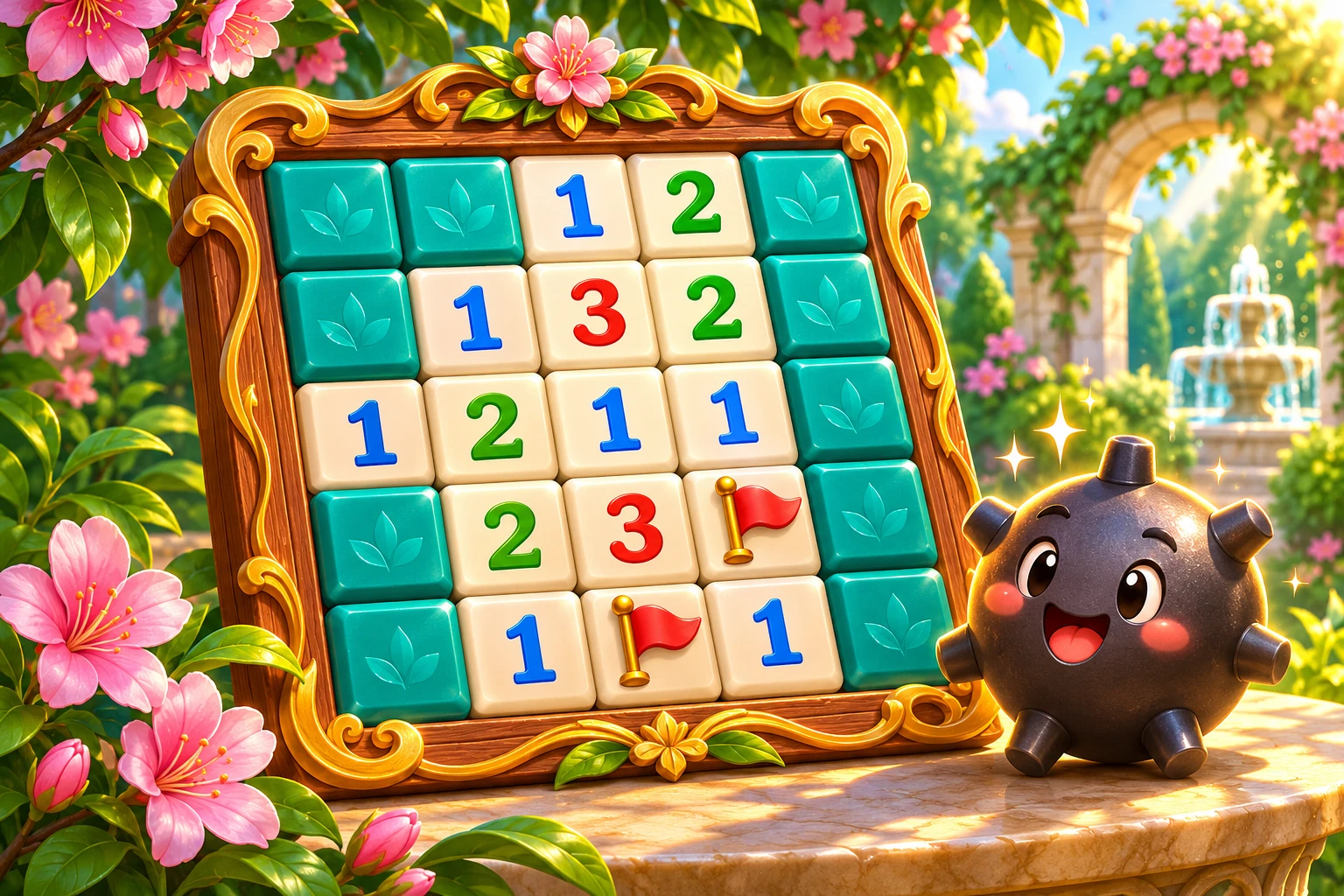
- Reveal a cell. Its number counts mines in the eight surrounding cells, including diagonals. Empty areas open automatically.
- Flag suspected mines and reveal every safe cell to clear the board. You do not have to flag every mine to win.
- Beat your own time in solo, or clear your board before your opponents in a race. Final placements and results are saved when the round ends.
Controls
Mouse
Left-click to reveal a cell; right-click to place or remove a flag. The Reveal and Flag buttons switch the action.
Phone and tablet
Tap cells, select Flag mode or hold to flag. Enlarge the cells with the slider and pan within the board frame on larger difficulties.
Keyboard
Arrow keys move focus between cells. Enter or Space presses the focused cell; F places or removes a flag.
Tips for your first game
- Compare adjacent numbers: the same hidden cell can be constrained by more than one clue.
- A flag is your own note, not confirmation of a mine. A wrong flag can cause an unsafe neighboring reveal.
- Use zoom on the expert-sized board. Tap an opponent preview for a larger live view of their numbers, flags and latest move.
- The bot reads only its own revealed clues. It can take risks and lose. Multiplayer boards are independent, with the same difficulty for all participants.
Take a look at the board
Frequently asked questions
How do you play Minesweeper?
Reveal safe cells while avoiding mines. Each number counts mines in the eight surrounding cells. Use those clues to identify safe moves and flag suspected mines. Reveal all cells without mines to win.
Can I play Minesweeper online free with no download?
Yes. The game runs in a desktop or mobile browser. An internet connection is needed to load the game, make moves and use online rooms.
How do I play multiplayer Minesweeper with friends?
Create a room for two, three or four people and share its code. Each friend joins on their own device, and the host starts the race.
Do opponents have the same board?
Everyone has the same difficulty and mine count, but an independent layout. Watching an opponent’s revealed clues does not expose the answers on your own board.
Which Minesweeper difficulties are available?
Easy has 9×9 cells and 10 mines, Medium has 16×16 and 40 mines, and Hard has 30×16 and 99 mines. These are board sizes, not a finite level campaign; each new round creates a new layout.
Can I play against a Minesweeper bot?
Yes. Choose bot mode and its pace. The bot makes actual reveals and flags using revealed clues rather than hidden mines. In bot mode, it waits for the human player’s first reveal.
When does the timer start?
Solo and bot timers start on the human player’s first reveal. Placing a flag does not start the clock. Human multiplayer rooms begin when the host starts the round.
Which records are saved?
Solo keeps a best time for each difficulty. First, second and third podium placements, plus fourth-place finishes, belong to bot or human races. A solo win does not award a competition medal.
Can I change the room style?
Yes. The top bar offers garden, island, crystal and space themes. A theme changes the art, not the rules or mine count.
Do I need an account?
Guest play is available. Sign in to your shared Igrodvor account if you want to link game results to your project profile.
One profile for all your games
You can start as a guest. Sign in to Igrodvor before launching a game to use the same profile and view saved results across devices. Guest progress and profiles from other gaming platforms stay separate.
Sign in and view your Igrodvor profile